
When a user is trying to log in on a pc but has the following error:
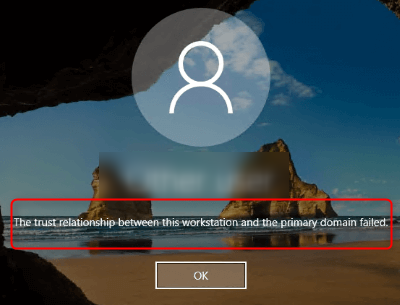
The solution is to remove the pc from the domain and add it again following the below steps:
To log in to Windows, use a local admin account or remove the Ethernet cable from the pc and try to log in with the same credentials without a network.
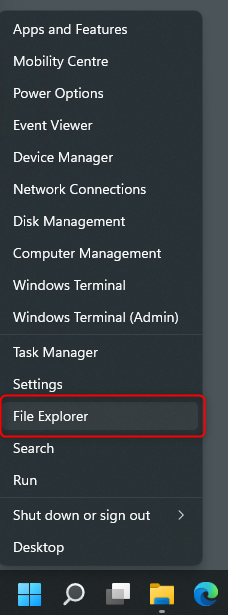
Right-click on Start and select File Explorer:
From File explorer right-click to This PC and click properties: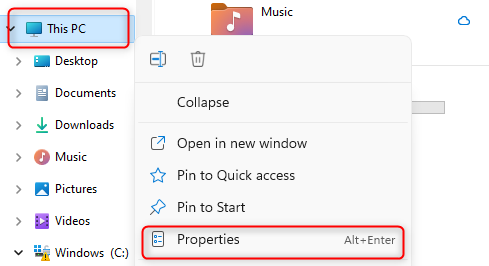
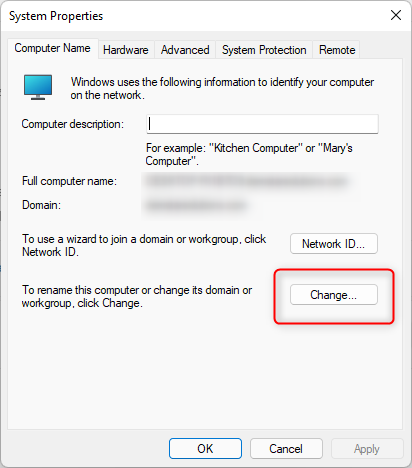
The following screen will appear and click on the Domain or workgroup:
Then click change as shown below:
Choose the workgroup, write WORKGROUP and click ok. If it is asking for a restart click restart later.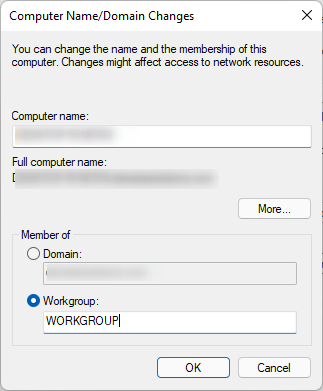
After that, repeat the same but this time choose the Domain and enter the name of the domain. It will ask for the administrator’s username and password. Restart now and the issue will be resolved. 
Leave A Comment?