
To set a password expiration policy in the Office 365 portal, follow the below:
Sign in to the Office 365 admin portal (admin.microsoft.com) using your administrator account.
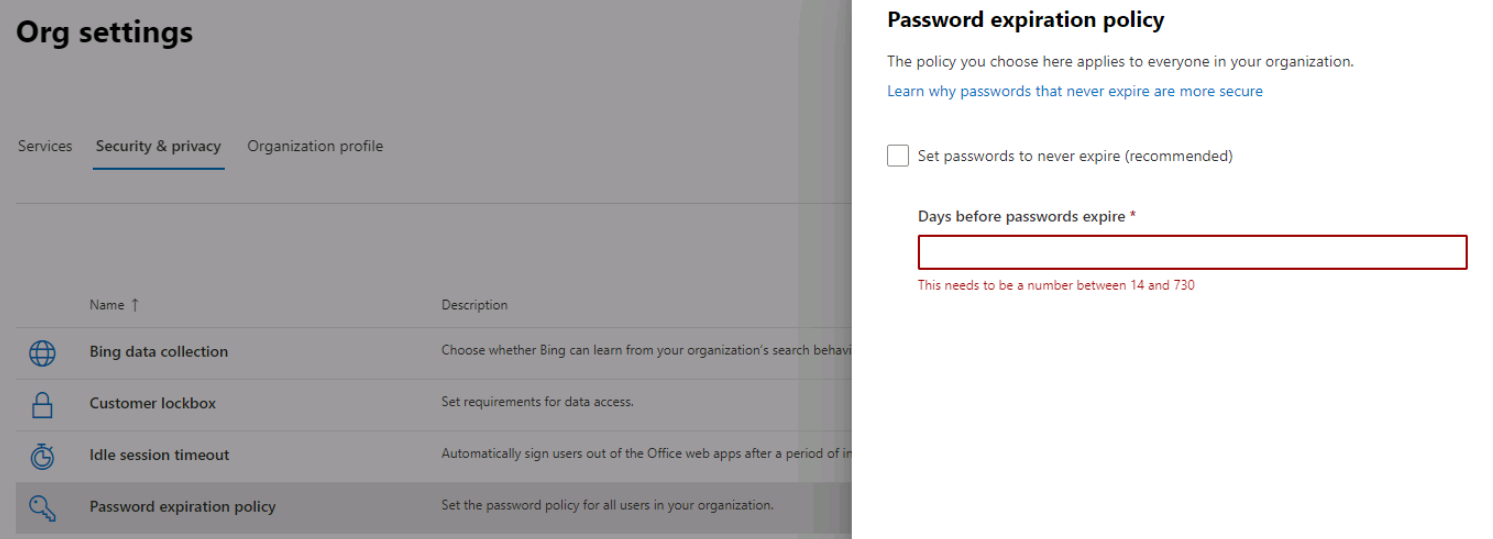
Click Settings -> Org settings -> Security & Privacy and select Password expiration policy

Untick the “Set passwords to never expire” and set the days before the password expires. Days must be between 14 and 730.
Leave A Comment?