
After login to the RDP session, the screen becomes black.
To resolve try one of the following or all:
- Restart the PC, not the Virtual Machine
- Try changing the resolution of the RDP connection. Right-click on the RDP shortcut and Edit:

Then try a different display configuration and uncheck from Experience tab the caching:

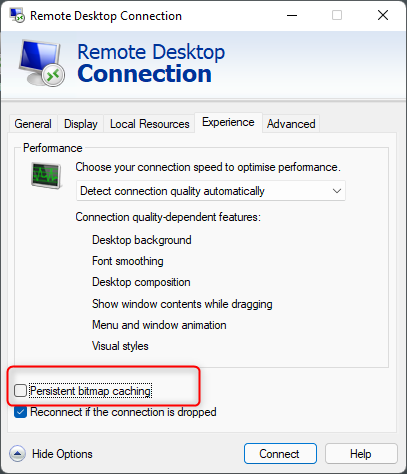
3. Check for updates in Windows
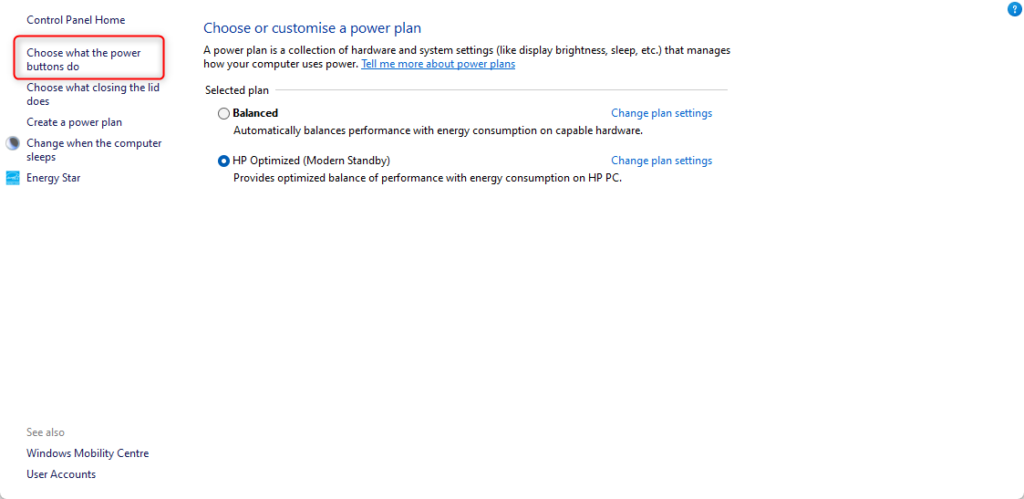
4. Control Panel -> Power Options -> Click “Choose what the power buttons do” on the left side
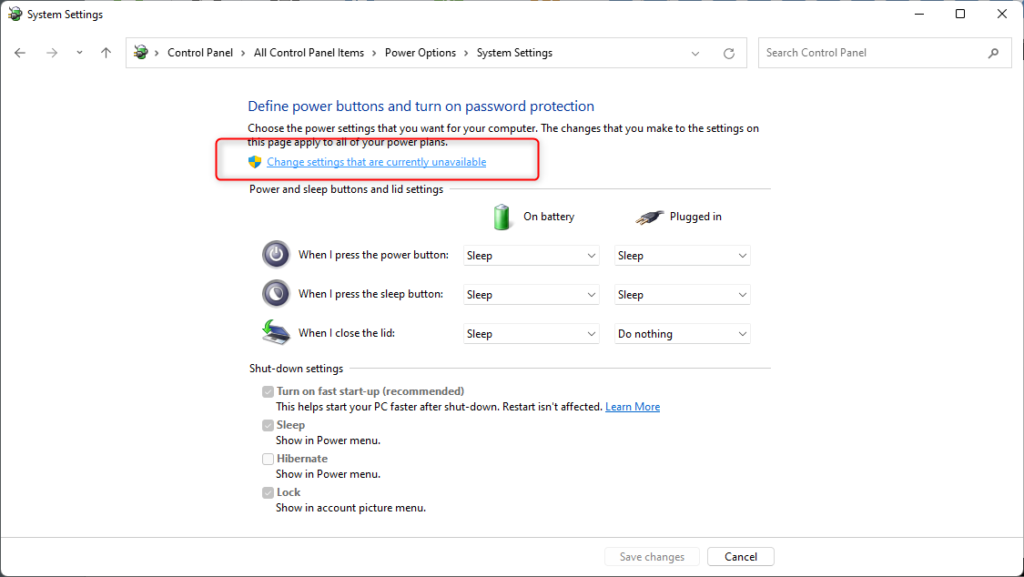
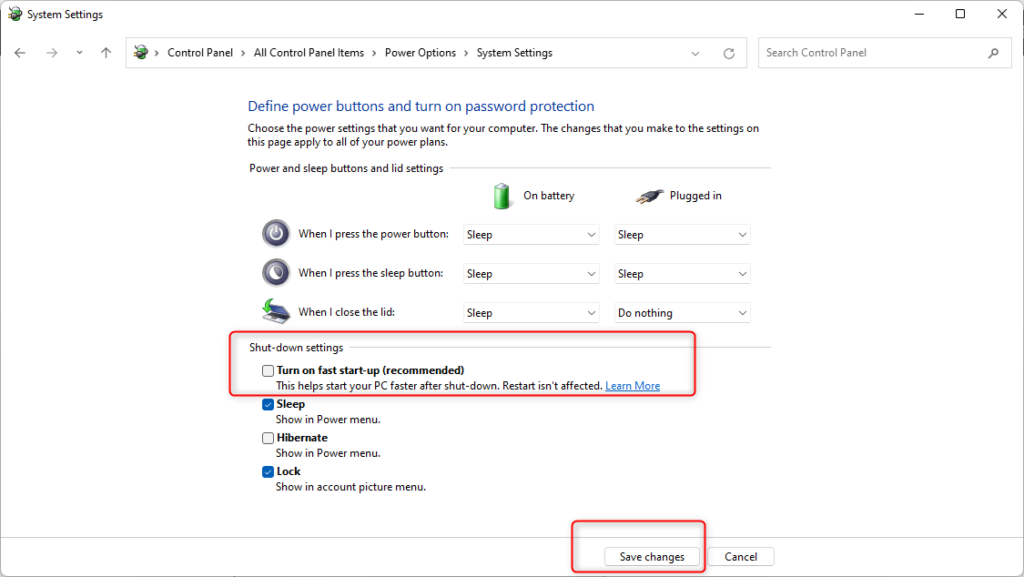
Then click “Change settings that are currently unavailable” and uncheck Turn-on fast start up
Leave A Comment?