
To activate In-Place Archiving in Office 365, you will need to follow these steps:
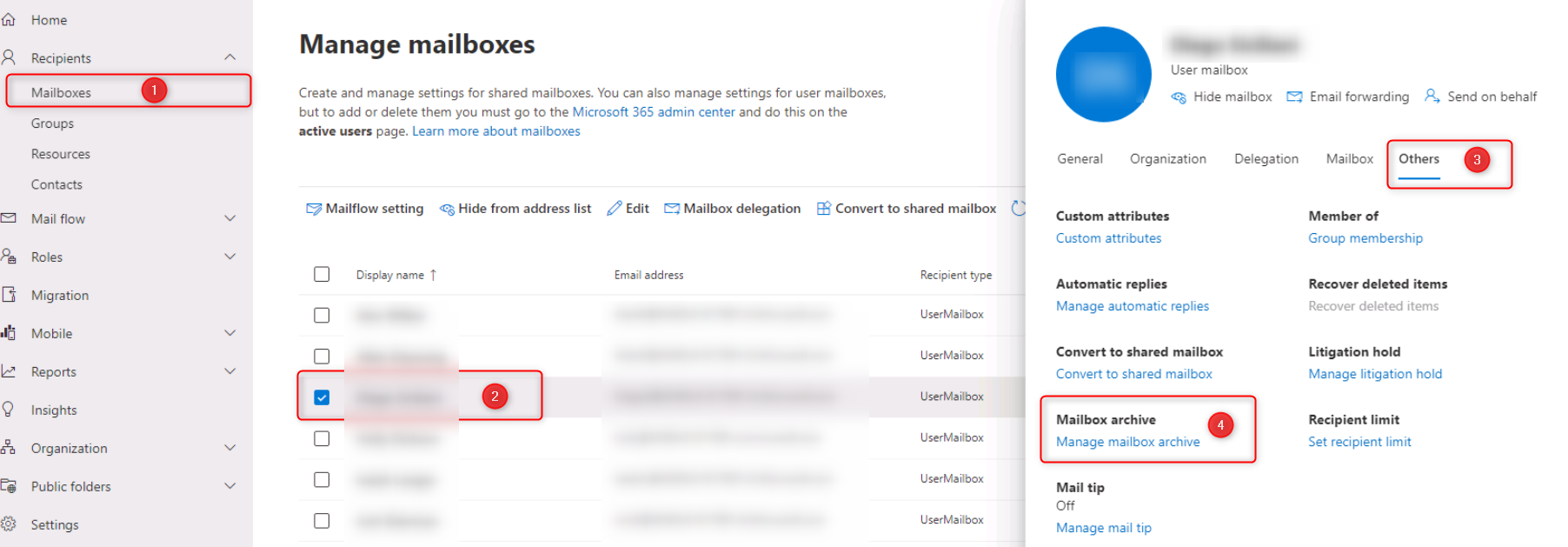
Sign in to the Office 365 portal, go to the Exchange Admin center:

Select the user whose mailbox you want to enable In-Place Archiving for, click on the “Others” tab and scroll down to click the “Manage mailbox Archive” link:
Select the “On” option to enable In-Place Archiving for the selected user:
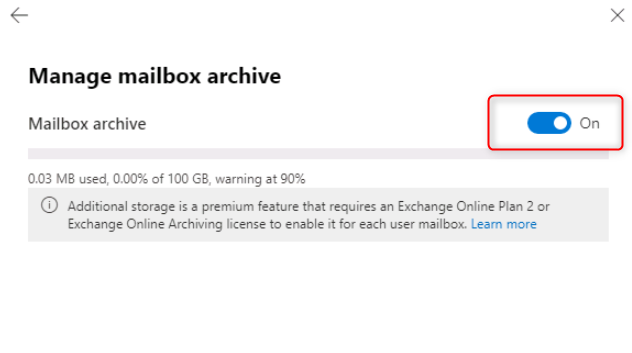
Click the “Save” button to apply the changes.
Note that In-Place Archiving is only available for certain Office 365 plans. If you do not see the option to enable In-Place Archiving, it may not be available for your subscription.
Leave A Comment?