
To access the Attribute Editor tab in Active Directory on Windows, you need to follow these steps:
- Launch Active Directory Users and Computers: Type “Active Directory Users and Computers” in the search bar of the Start menu and open the app from the search results.
- Turn on Advanced Features: Click the “View” menu in the Active Directory Users and Computers window and select “Advanced Features” to enable additional features and options.

- View or Modify Attributes: You can now see or edit the attributes of the object or user in the Attribute Editor tab. For example when the user typed an incorrect password and how many times.
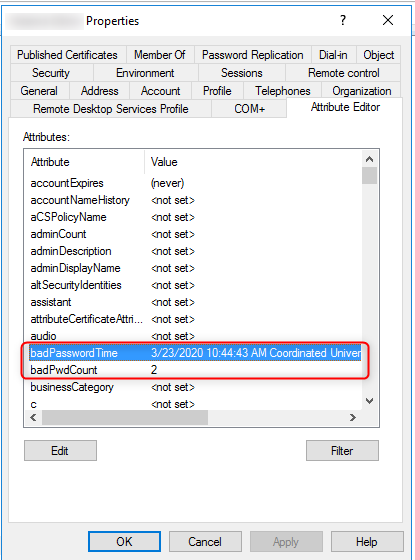
Just for info, the Attribute Editor tab is not available for all types of objects in Active Directory. It is only accessible for objects that have editable attributes, such as groups, computers, and users.
Leave A Comment?