
- Go to the Teams admin center by visiting https://admin.teams.microsoft.com/
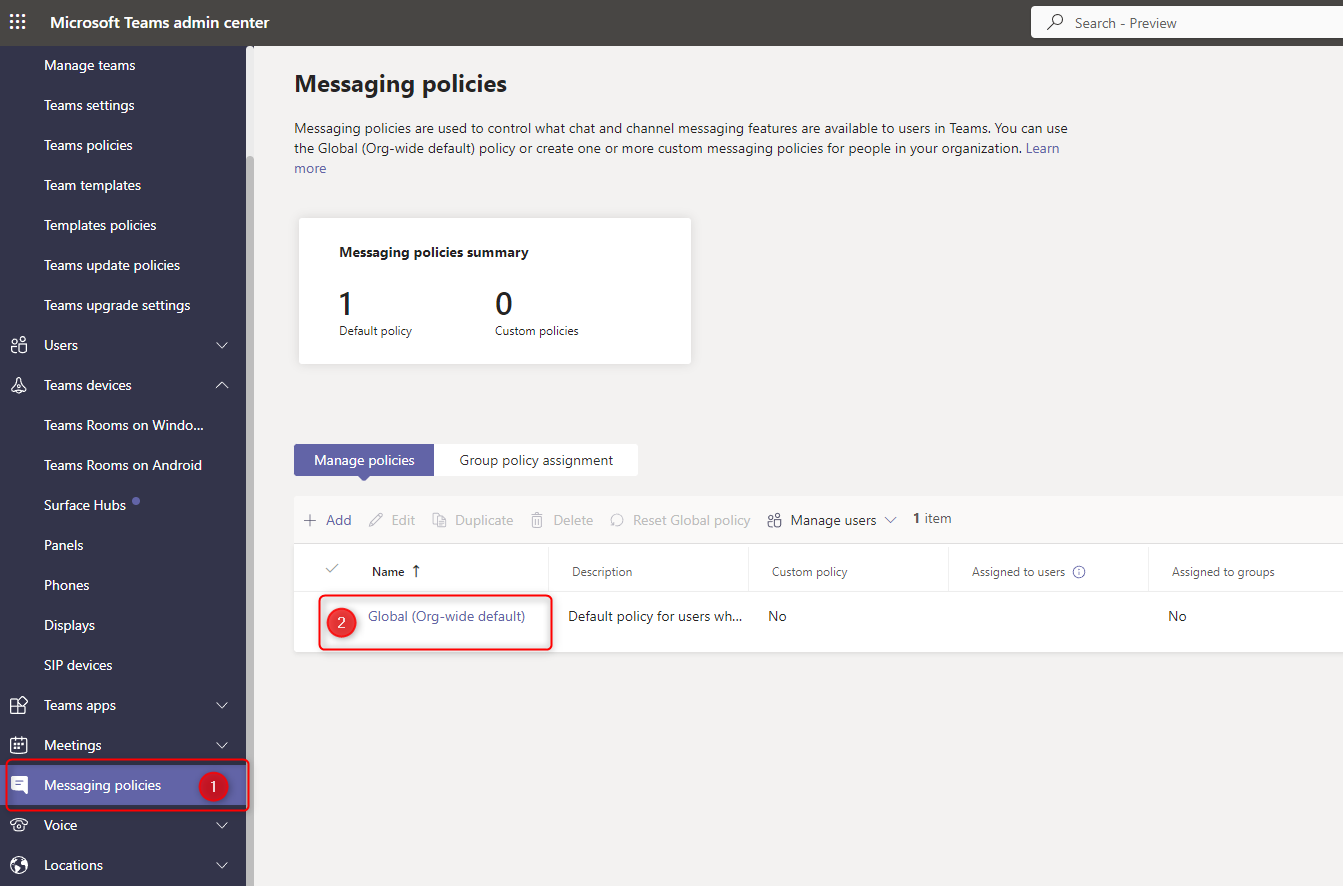
- In the left sidebar, click on “Messaging Policies” (1) and then “Global (Org-wide default)” (2):
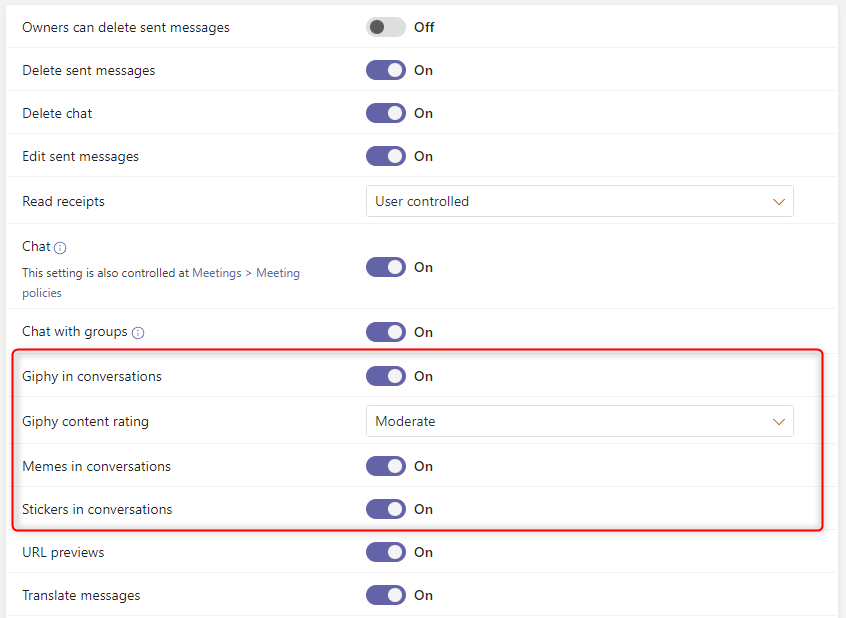
- Scroll down to the “Giphy in conversations”, “Memes in conversations” and “Stickers in conversations”.
- Toggle the switch to the “Off” position
- Click “Save” to apply the changes
Leave A Comment?