
EXPORT
The data that will be exported, are emails, contacts, and calendars including attachments.
Click File and then Open & Export:


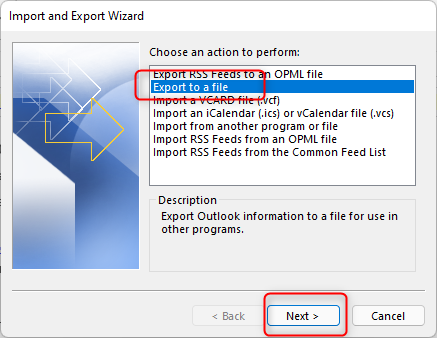
Select Export to a file and click Next:
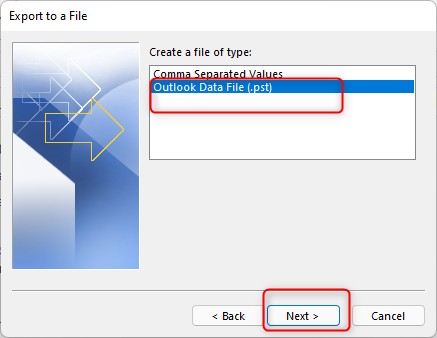
Select Outlook Data File:
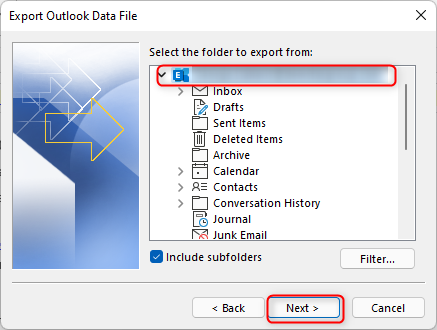
Select the mailbox and click Next:
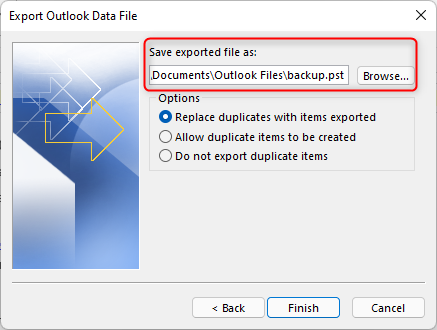
Save .pst file in a folder of your choice:
IMPORT
Click File and then Open & Export:
Select Import from another program or file and click Next:

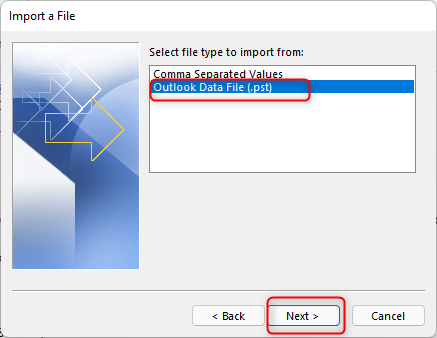
Select Outlook Data File:
Find the .pst file and click Next and then Finish:

Leave A Comment?